Running an Etsy shop involves more than creating products and receiving orders. Sellers must manage listings, track inventory, process purchases, arrange shipping, and respond to customer questions. These responsibilities become harder to manage as sales increase.
For example, a handmade jewelry seller receiving 20 orders daily may spend hours checking stock, preparing packages, and answering messages. That leaves less time for creating products, researching trends, and marketing the business.
Etsy automation helps reduce this workload by handling repetitive activities through software and connected tools. With the right setup, sellers can organize daily operations, save time, and focus on growing their stores.
What Is Etsy Automation and How Does It Work?
Etsy automation involves using software and integrated tools to manage routine store activities with less manual effort. Instead of updating every order or inventory record individually, sellers can create workflows that handle specific tasks automatically.
For example, when a customer purchases a product, connected software can update inventory, organize order details, and help prepare shipping information.
Common tasks include inventory tracking, order processing, listing updates, shipping labels, and customer notifications.
Automation does not replace the seller. Product quality checks, customer complaints, and important business decisions still require human attention.
Which Etsy Tasks Can Sellers Automate?
Product Listing Management
Managing hundreds of product listings can take considerable time, especially when prices, descriptions, or variations need updating.
Listing management tools can simplify bulk edits and help maintain consistent product information. For example, a candle seller offering 15 fragrances can use supported bulk editing features to update prices without opening every listing individually.
Sellers should review titles, descriptions, images, and product details before publishing changes to avoid inaccurate information.
Order Processing and Inventory Management
As orders increase, keeping track of purchases and available stock becomes more challenging.
Order management software helps organize incoming purchases, monitor fulfillment status, and keep order information accessible. Inventory tools can also update stock quantities as sales occur, reducing the risk of overselling.
Regular physical stock checks remain important because software cannot account for every inventory change.
Shipping and Customer Communication
Preparing shipping labels, entering addresses, and sending tracking information manually can slow down fulfillment.
Compatible shipping solutions can organize order details, generate labels, and share tracking updates. Sellers can also prepare saved replies for common customer questions about product sizes, customization, and delivery.
However, complaints and special requests should receive personalized responses rather than generic automated messages.
How to Automate Etsy Step by Step
Setting up automation does not require changing your entire store. Start with the activities that consume the most time and gradually introduce suitable tools.
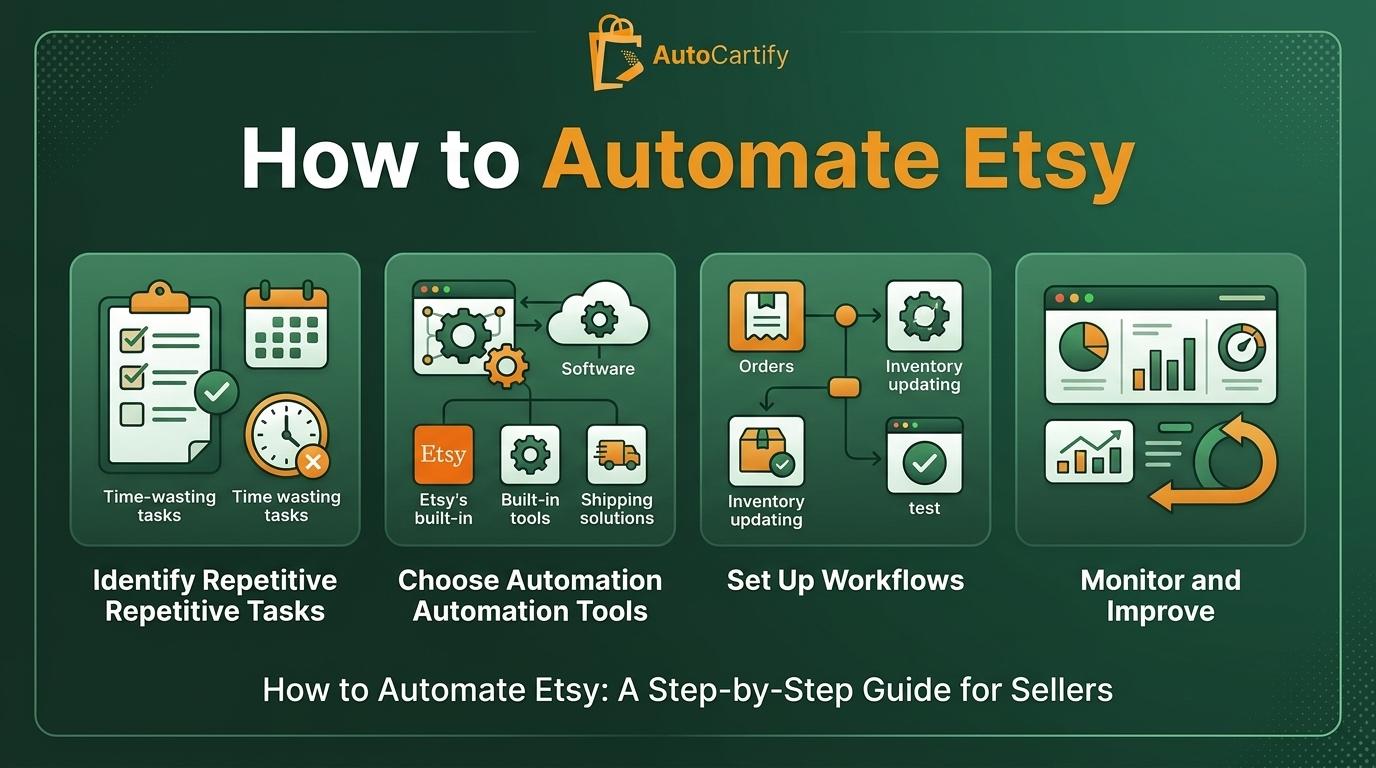
Step 1: Identify Repetitive Tasks
Review your daily activities and identify where most of your time goes. This may include updating listings, checking inventory, processing orders, or answering similar customer questions.
Prioritize tasks that follow the same process repeatedly.
Step 2: Choose the Right Automation Tools
Look for software that supports your store's requirements. Check Etsy compatibility, available integrations, pricing, and ease of use before subscribing.
A small handmade shop may only need basic inventory and shipping tools, while a larger store may benefit from advanced order management software.
Step 3: Set Up Order and Inventory Workflows
Connect your Etsy shop with compatible management software and configure how order information and stock quantities should be updated.
Test the workflow with a few orders first. Check for incorrect inventory updates, duplicate records, and missing information before relying on it for daily operations.
Step 4: Automate Listing and Customer Management
Use listing management tools to organize product information and simplify bulk changes. Prepare saved replies for frequently asked questions to reduce repetitive typing.
Keep customer communication helpful and relevant, particularly when dealing with personalized orders.
Step 5: Monitor Performance
Review inventory accuracy, order processing, shipping updates, and customer response times regularly.
If a workflow creates errors or delays, adjust it. Automation should simplify store management, not introduce additional problems.
Best Etsy Automation Tools for Store Management
Different tools support different areas of Etsy operations. Sellers should choose solutions based on their store size and requirements.
Etsy's built-in seller tools: Help manage listings, orders, and basic store activities.
Inventory management software: Tracks product quantities and coordinates stock across connected sales channels.
Listing management tools: Simplify catalog organization and supported bulk updates.
Shipping solutions: Help prepare labels, organize shipments, and manage tracking information.
Third-party integrations: Connect compatible applications to reduce repetitive data entry.
Before choosing a tool, check its Etsy compatibility, pricing, and available features.
Common Etsy Automation Mistakes Sellers Should Avoid
Automation can save time, but poorly managed workflows can create operational problems.
Common mistakes include:
Automating every activity without identifying actual needs.
Choosing software that does not integrate properly with Etsy.
Relying entirely on automated customer responses.
Failing to review inventory accuracy.
Ignoring errors in automated workflows.
The best approach combines automation with regular manual checks.
How Professional Etsy Management Services Can Simplify Store Operations
As an Etsy business grows, managing listings, inventory, orders, and customer communication can become difficult alongside product development and marketing.
Professional Etsy management services help sellers organize these responsibilities and reduce their daily workload.
AutoCartify supports Etsy sellers with essential store operations, including listing management, inventory coordination, order processing, and store support.
Instead of spending hours handling repetitive activities, sellers can focus on product development, customer needs, and business growth. Professional management can be particularly useful for stores receiving regular orders but lacking the time or resources to manage every operation independently.
Is Etsy Automation Worth It for Small Businesses?
Etsy automation can benefit both new and established sellers. Beginners can start with saved replies and basic inventory tracking, while growing businesses may need more advanced management solutions.
The main advantage is time. Automating repetitive activities frees up hours that sellers can spend on marketing, product development, and customer research.
However, subscription costs and setup requirements should be considered before investing. Not every shop needs expensive software.
Start with essential workflows and expand automation as order volumes and business requirements increase.
Final Thoughts on Automating Your Etsy Shop
Managing an Etsy shop manually becomes increasingly difficult as sales grow. Automating repetitive activities such as inventory tracking, order processing, listing management, and shipping can help sellers maintain organized operations without handling every task themselves.
Choose compatible tools, test each workflow, and monitor performance regularly. Keep human oversight in place for product quality and customer concerns.
If daily store management is taking time away from growing your business, AutoCartify can help with Etsy listing management, inventory coordination, order processing, and essential store operations.